


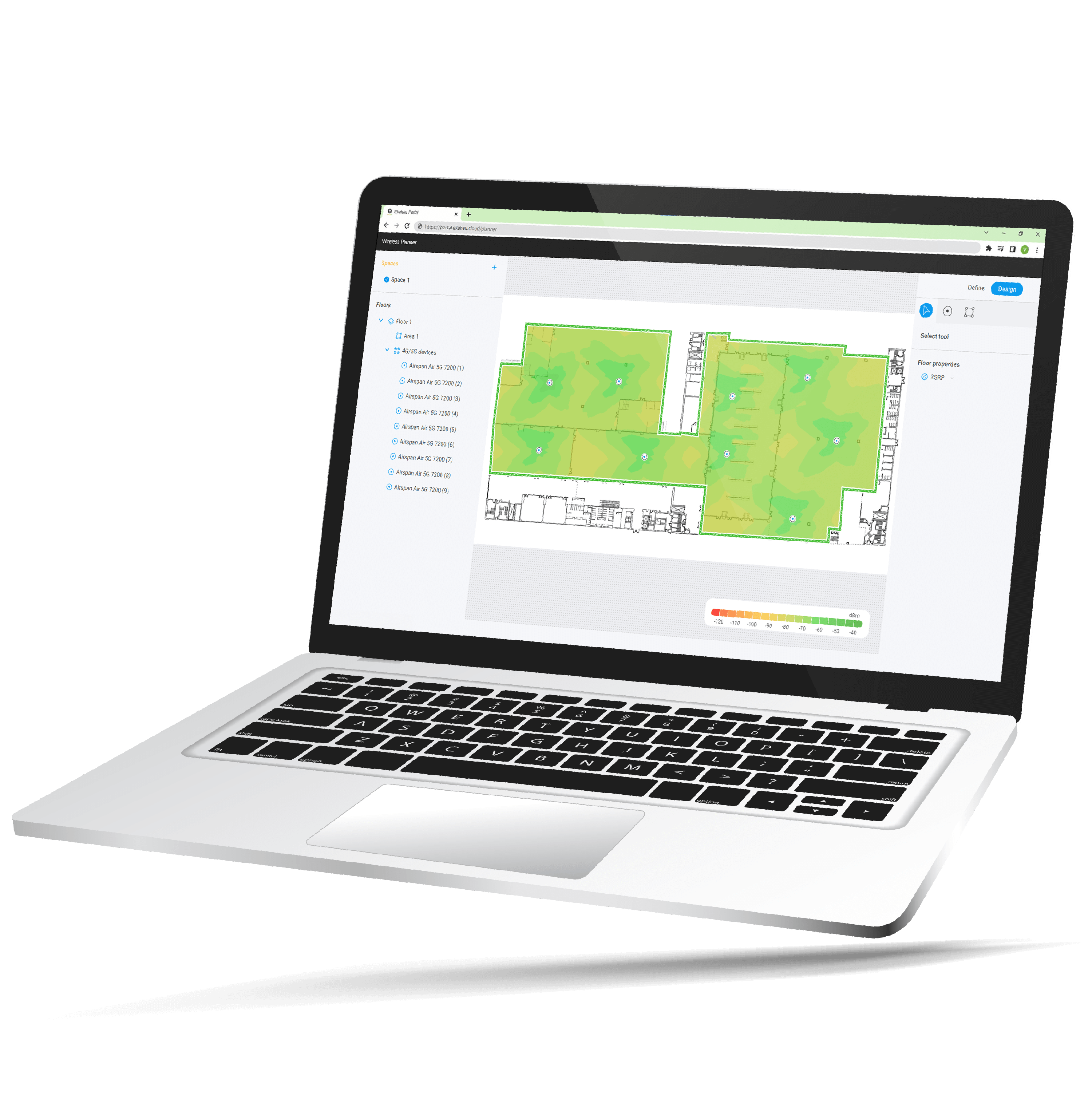
Design professional 5G, 4G, and LTE private cellular networks with the speed and accuracy of Ekahau wireless design tools.
Ekahau Private 5G simplifies the design process, removing time-consuming and tedious floor plan preparation and automating radio placements for consistently great private cellular performance. Leverage the speed and accuracy of Ekahau to get the optimal radio and antenna placements for your unique needs.
Bring your expertise in Wi-Fi design to the emerging field of Private Cellular to plan private 5G, 4G, LTE and hybrid wireless networks. Add Ekahau Private 5G (Beta) to your Ekahau Connect suite and design Wi-Fi, Private Cellular and hybrid wireless networks.


 Define Your EnvironmentUpload a floor plan, set the scale and highlight your coverage areas. |  Detect Your WallsReview auto-detected wall segments and assign accurate wall materials. |  Get a Great DesignSelect network device vendor and model and hit Place all for an AI-optimized design. |
Unbeatable cost and high performance makes Wi-Fi the ideal wireless technology for most use cases.
A great option for large, expansive areas and complex RF environments with limited options for Wi-Fi.
Utilizes a combination of Wi-Fi and Private Cellular for optimum performance in mixed requirement networks.
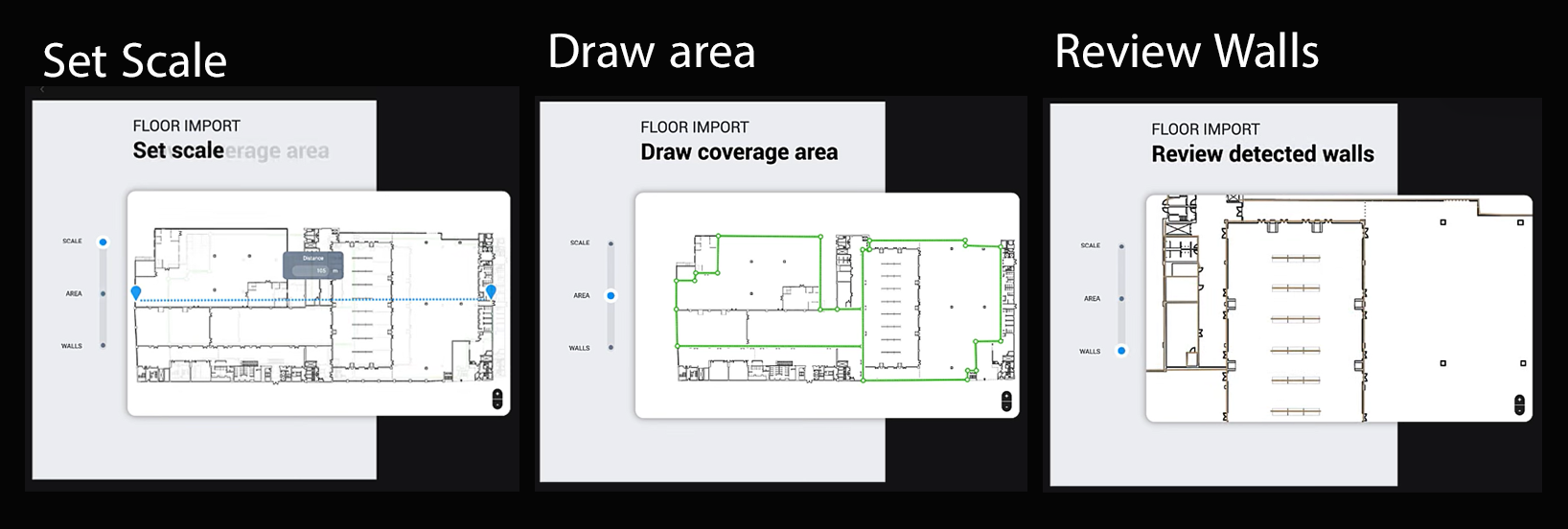
Ekahau Private 5G takes your business requirements for private cellular connectivity and identifies the ideal cellular radio placements based on your facility’s unique physical environment and floor plan. Follow the step-by-step network planner and get up and running in minutes.
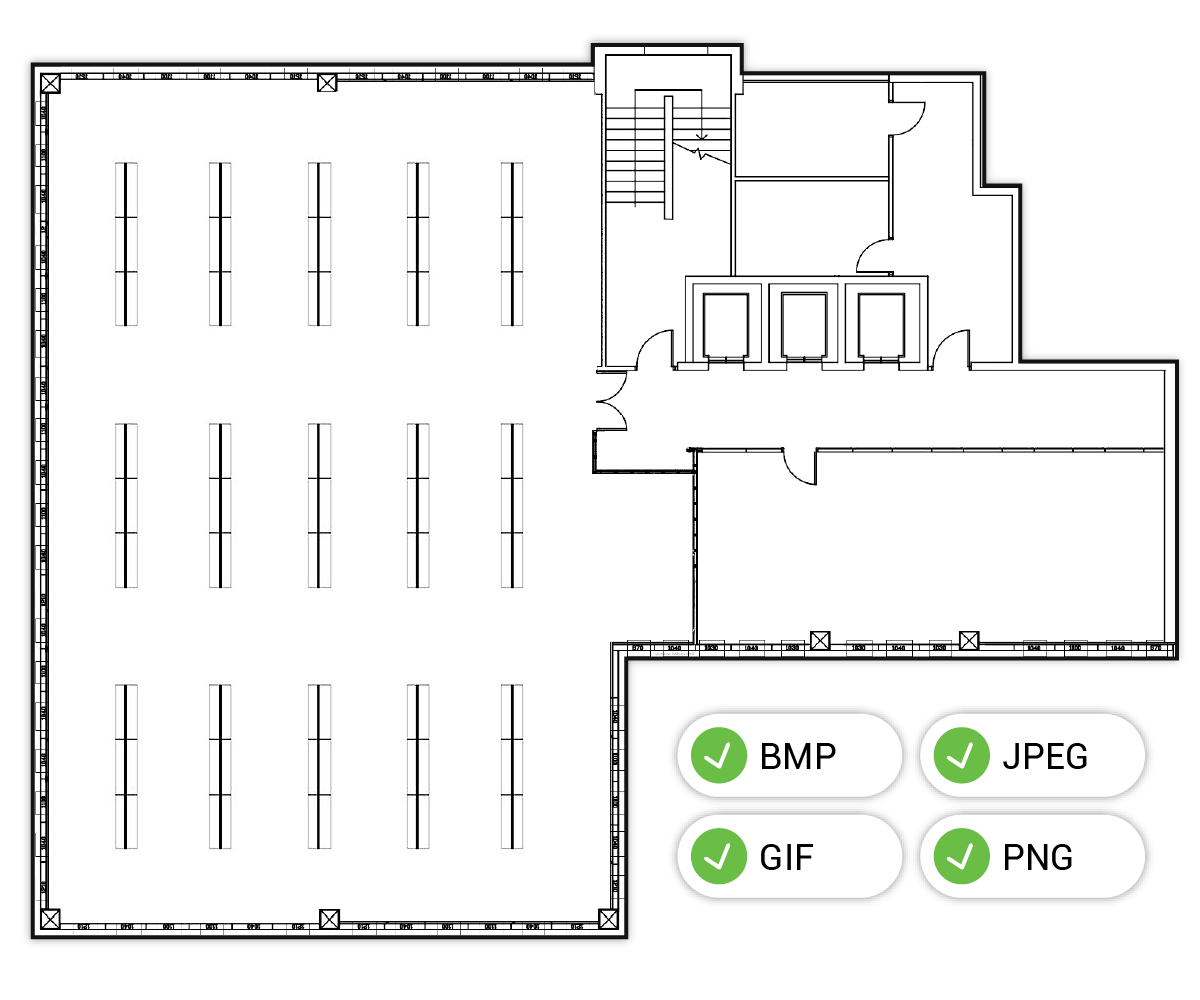
Import any standard floor plan image file (Bitmap format: gif, jpeg, png) and let automatic wall detection identify the shape and placement of wall segments for you. Say goodbye to hours of time-consuming and tedious floor plan preparation and simply import a floor plan image, review the auto-detected wall segments, assign accurate wall materials, and get going with your design.